
Changelog
Enrichment Provenance
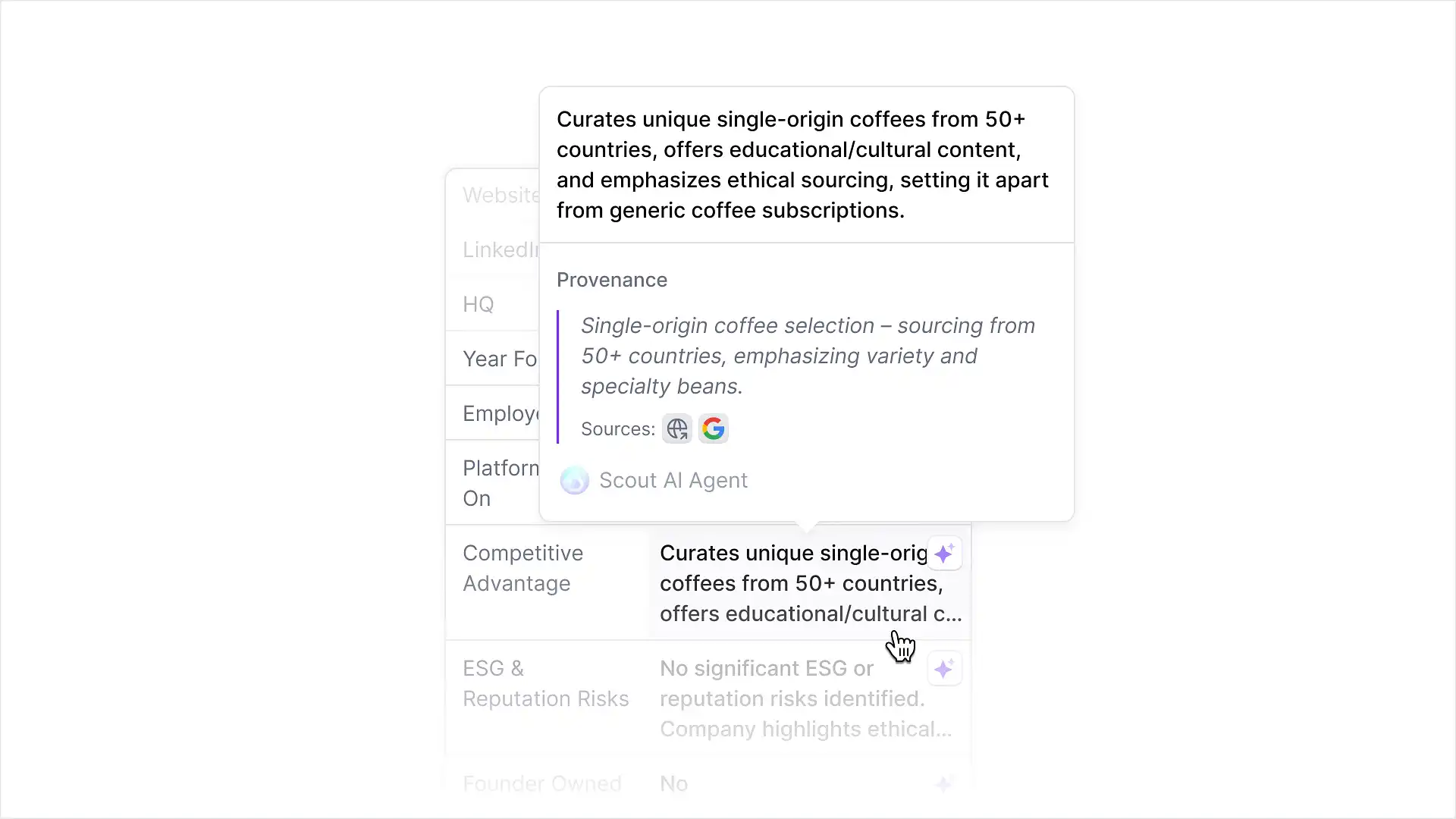
When someone asks where a number came from, you now have an instant answer. Hover over any enriched field in the Company side panel to see its data source, and click through to the original external source to verify it yourself.
Reminder Report
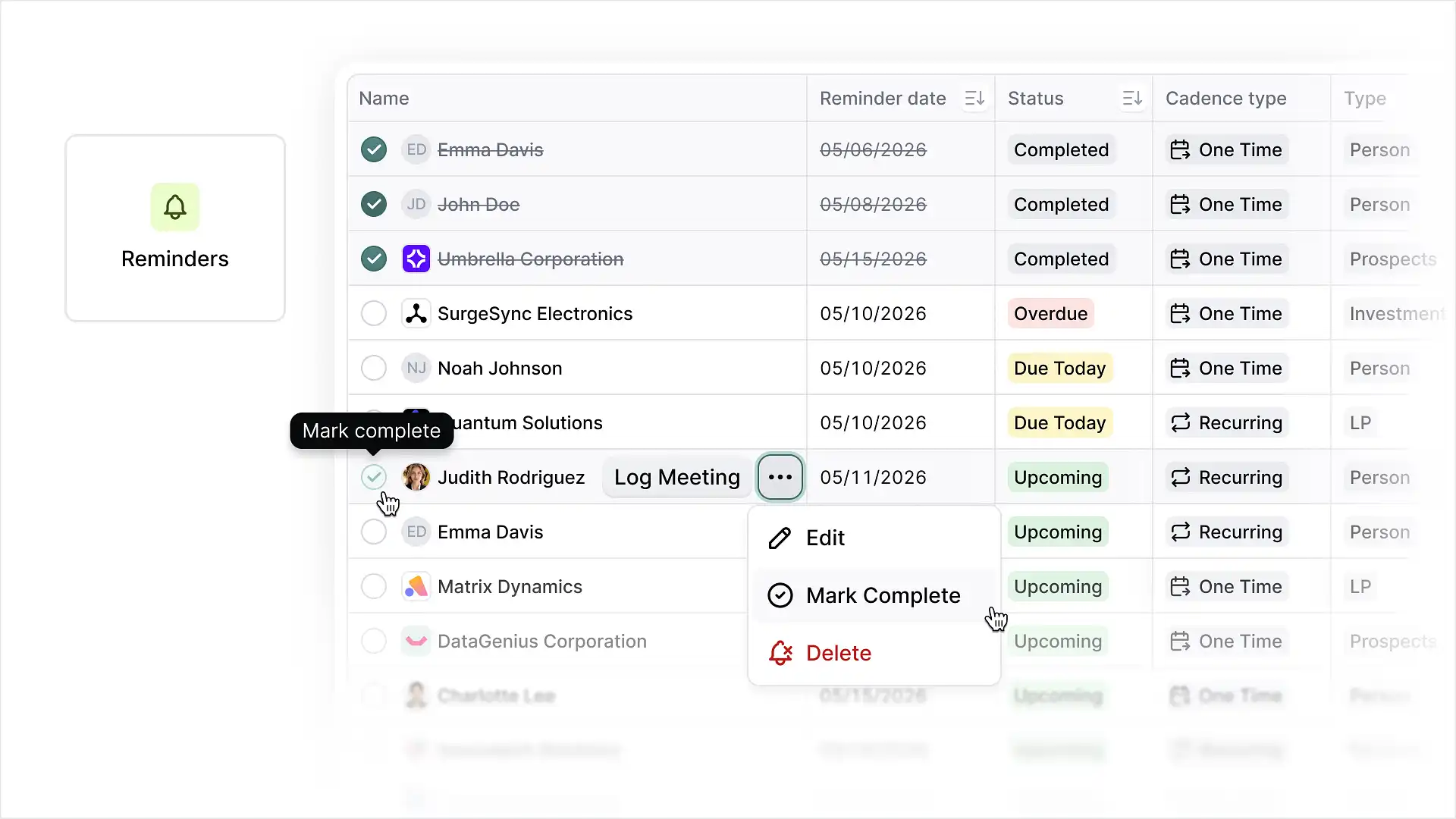
All of your follow-up tasks are now consolidated in one place. The new Reminders report pulls every reminder you’re part of into a single list, where you can filter, add columns, search, export, mark reminders complete, log a meeting, or edit a reminder without leaving the page.
User-level Email and Calendar Sync Modes
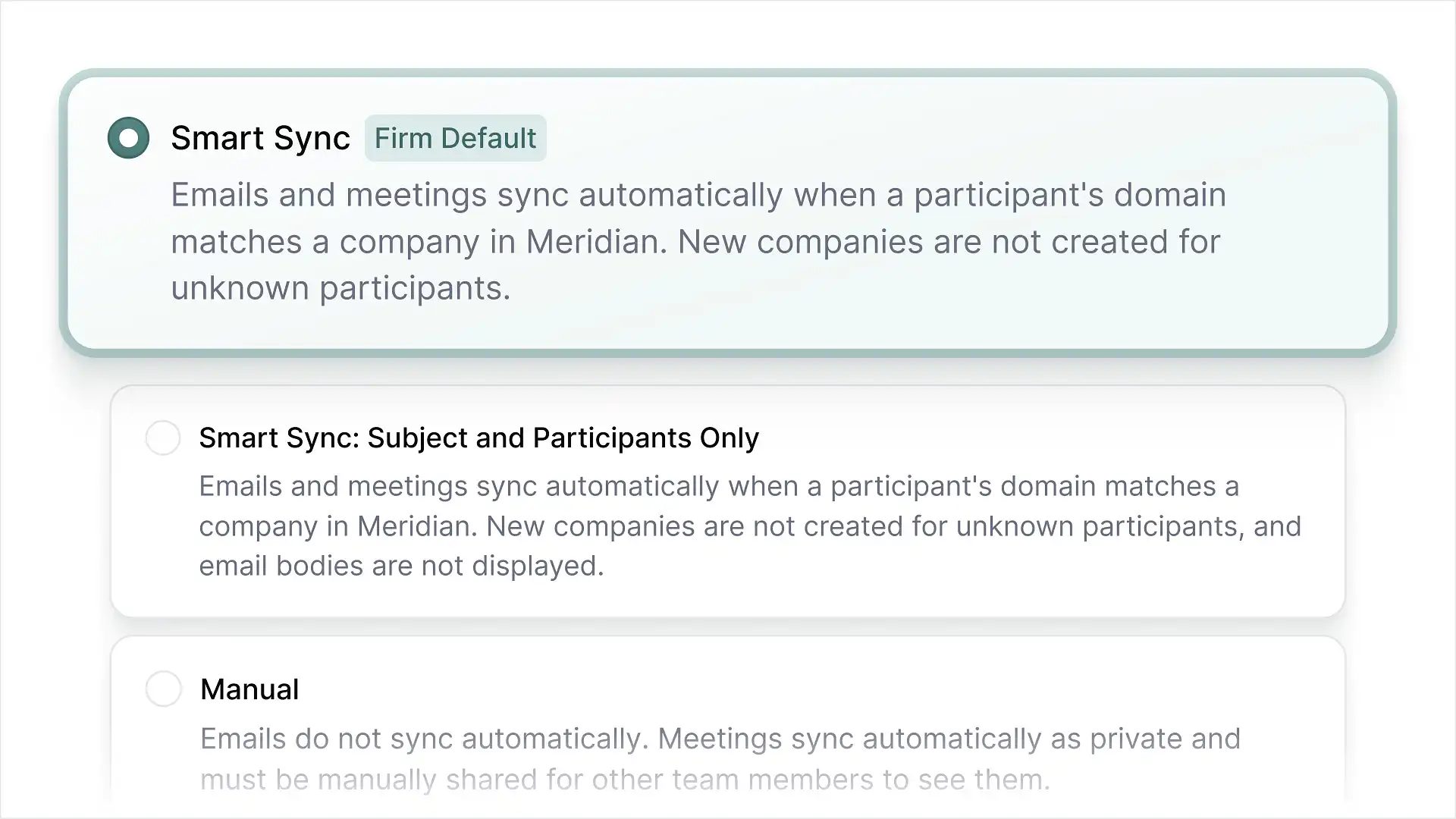
Each person at your firm can now choose their own email and calendar sync settings from the options your firm allows, so deal team members who want full inbox logging and those who prefer to share only specific emails can each work the way they want. Your firm’s blocklist is also now visible on each user’s sync settings page, with the ability to block companies by domain and individuals by email address directly from Meridian.
October Enhancements & Usability Improvements
- Enhanced MCP coverage for filtering by and updating sourcing themes.
- Enhanced MCP coverage for filtering by pipeline stage and coverage team.
- Dynamic PDF export generation for improved readability.
- Fundraising Opportunities tables can now be exported.
- Public API now supports Deals and Documents.
- Email logging via cc/bcc is now available through Meridian Inbox.
- Meetings deleted in Outlook or Google Calendar are now automatically removed from Meridian.
Meridian Record
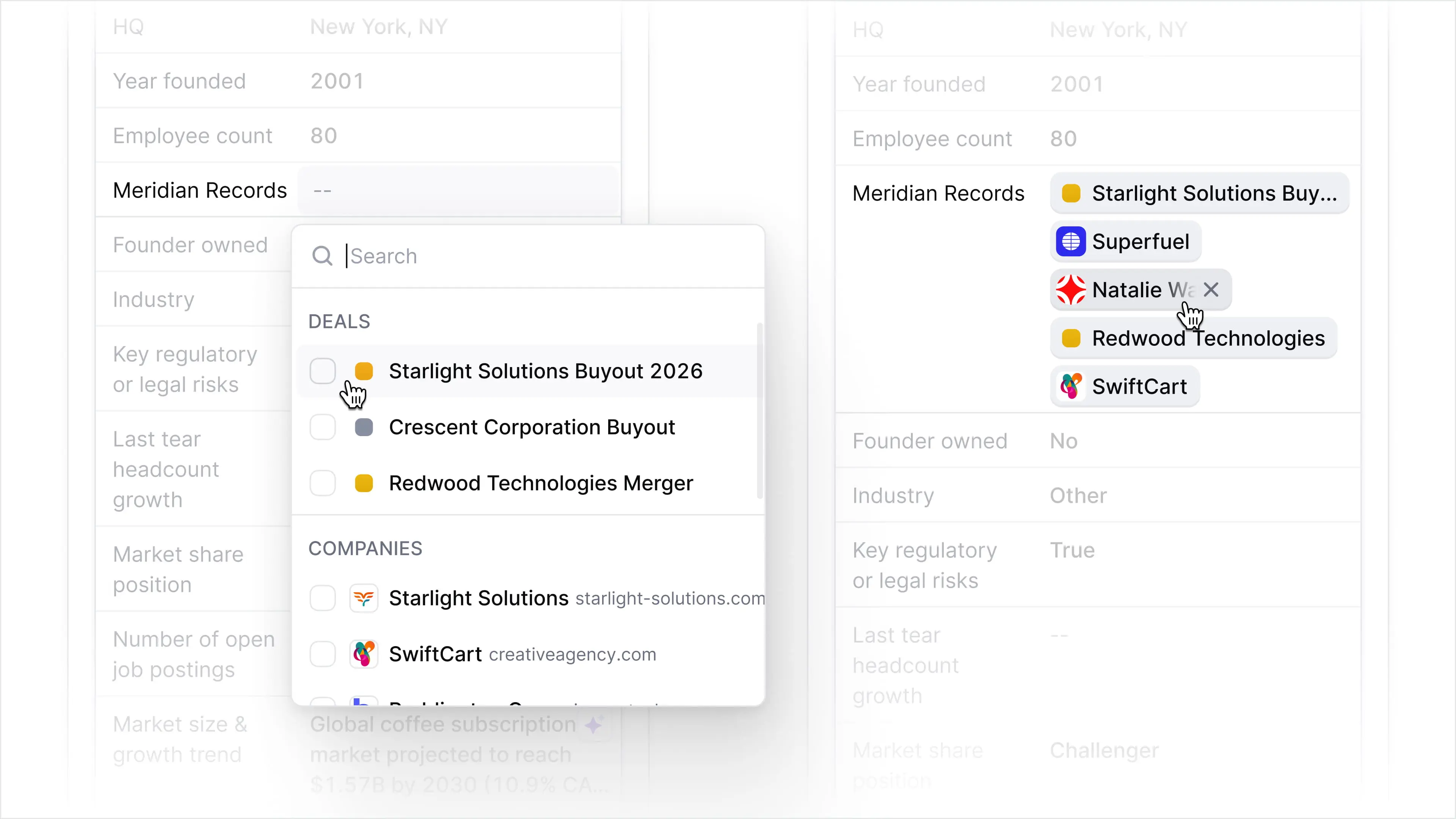
A new field type is now available in Meridian. The Meridian Record field lets you tag related records and click straight through to them, so connected companies, deals, people, and themes stay linked instead of living as loose references. Talk to your Customer Success lead to set up Meridian Record fields for your organization across deals, companies, people, and themes.
Merge companies
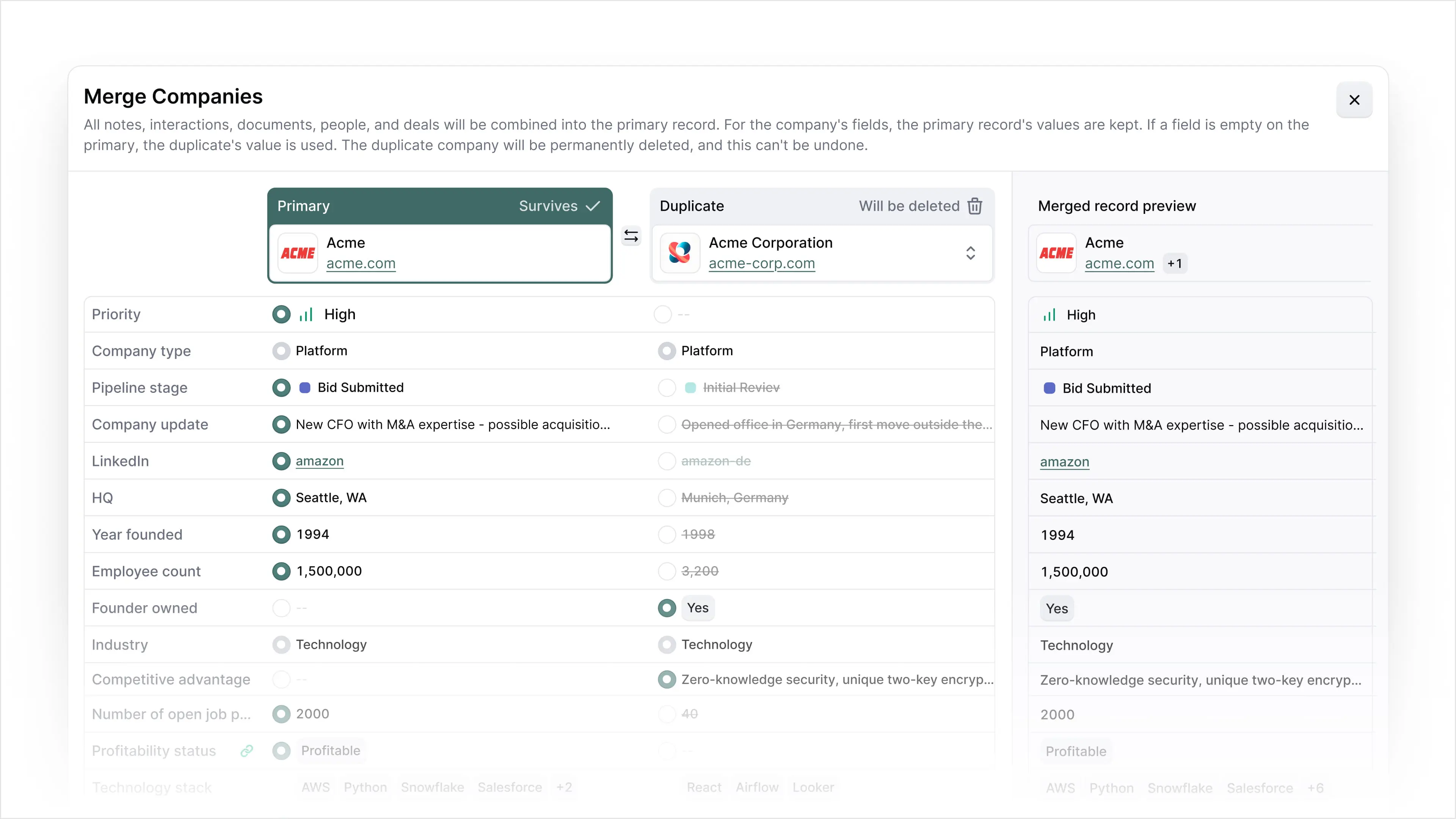
One of your most requested updates is here. Merge two duplicate company records into a single record, choosing which values to keep field by field. The surviving record updates automatically, so your history stays intact and nothing gets lost in the cleanup. Duplicate companies stop fragmenting your pipeline, and your team works from one clean record per company.
Mobile app
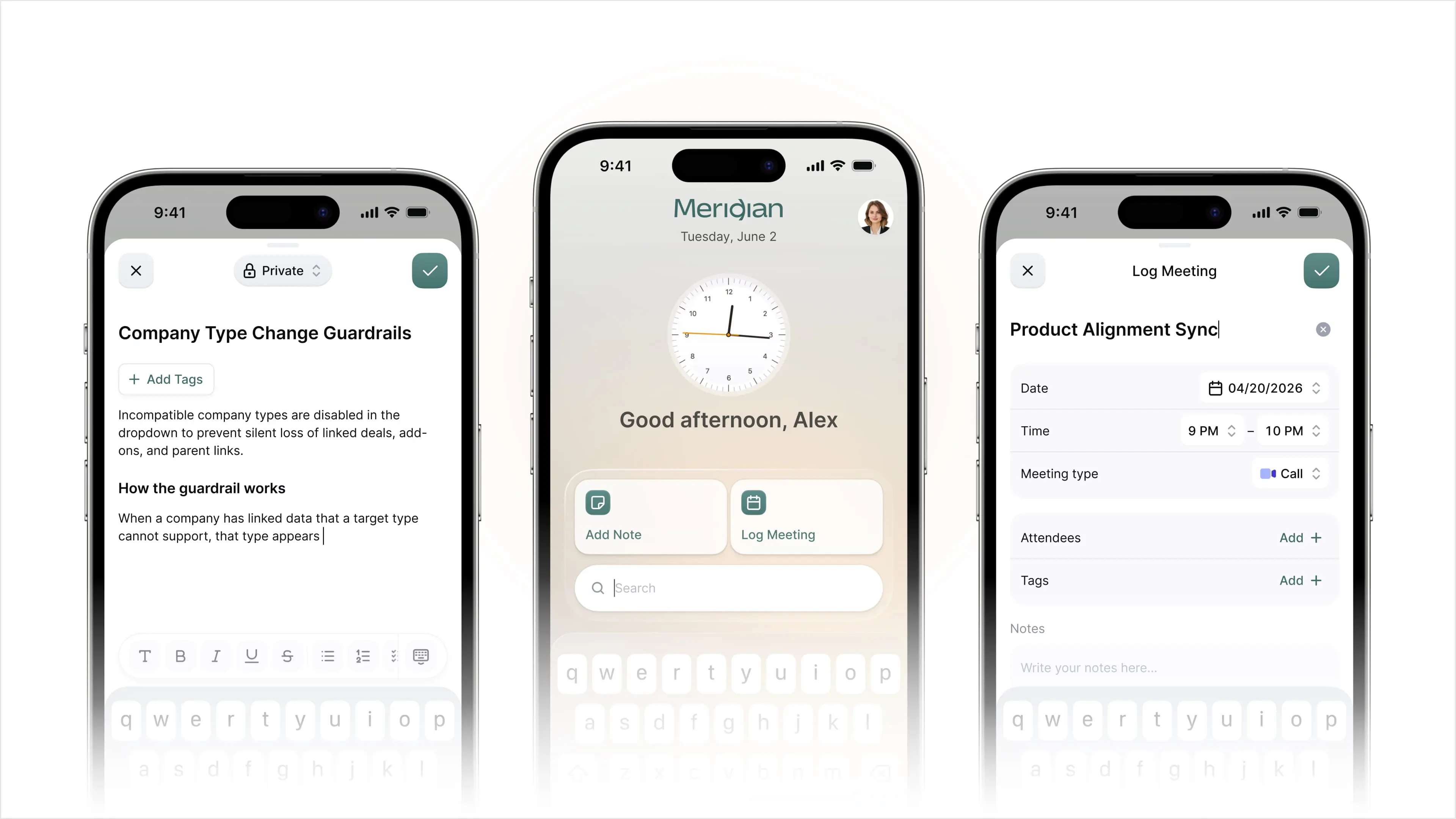
Your deal data no longer stays at your desk. The new Meridian mobile app for iPhone and Android puts full deal context in your pocket. Look up a company or person between meetings, write a note or log a meeting in the moment, and search your entire CRM from a single bar. Nothing waits until you are back at your computer, so the record stays current wherever the work happens.
MCP write
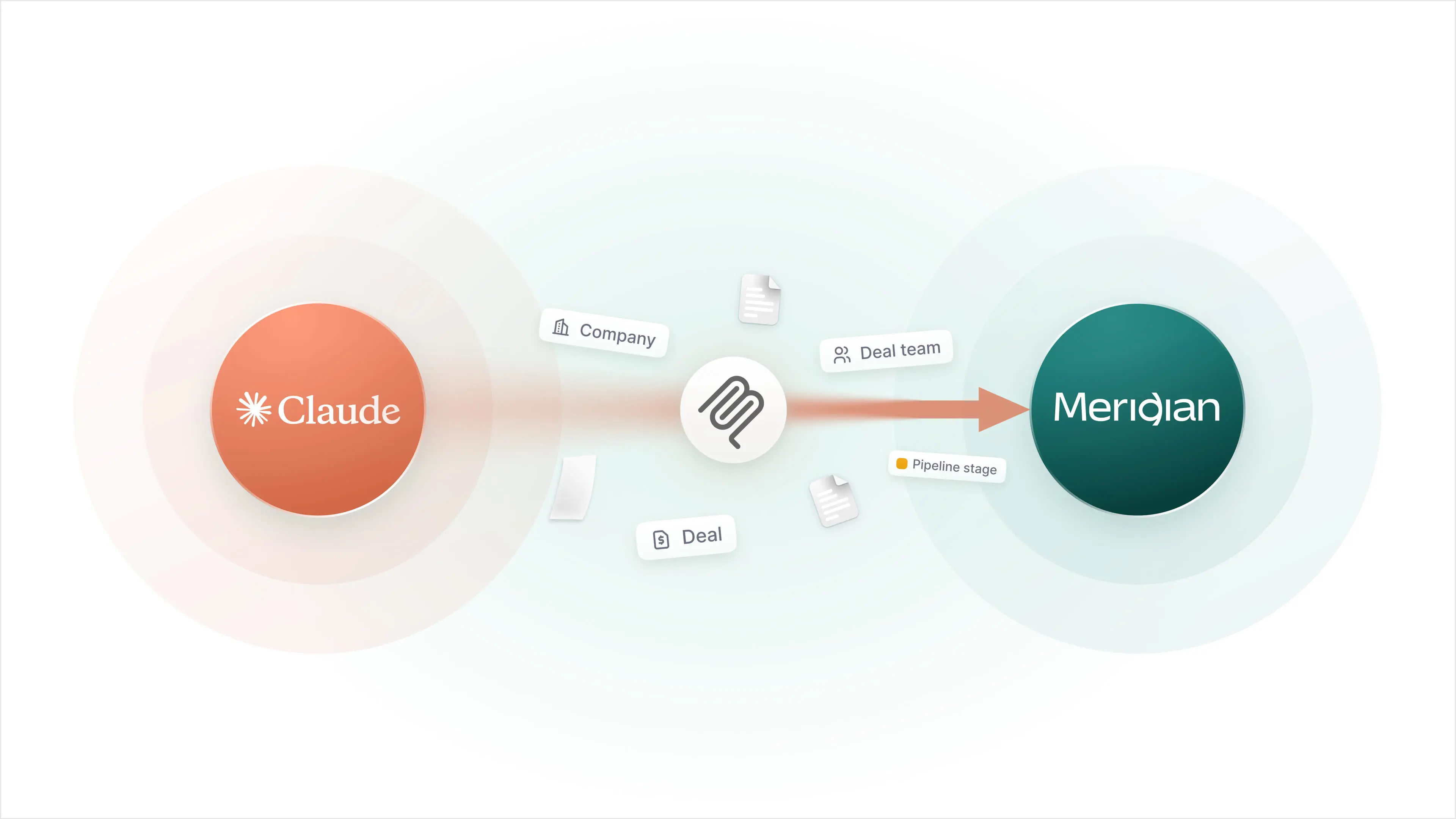
Meridian MCP let you query your deal data from any MCP-enabled AI tool. Now it writes back. Ask Claude to create a company or a deal. Tell ChatGPT to move a deal to a new stage or post an update. Every change is tagged as coming from MCP, so your team can see exactly what was done and where it came from. Your AI tools now act on the system of record, not just read from it.
September Enhancements & Usability Improvements
- Sourcing theme levels now display and export as separate columns in Company, Deal, and People data views, so you can sort and report on each level independently.
- You can now view and edit all Company and Deal fields directly in the Chrome extension, so records update where you are already working.
- A new Last Active Stage column now displays and exports in Deal data views, so you can see where each deal last sat without opening the record.
- Any meeting attendee can now edit the privacy toggle, not just the owner, so privacy settings no longer wait on one person.
Company type classification
Meridian can now assign a company type automatically when new companies are imported or synced without one, so your pipeline stays organized without manual cleanup. Classification runs on your organization's own taxonomy, matching how your firm already categorizes companies, and applies a type only when it clears a confidence threshold. Low-confidence matches are left alone rather than guessed at, so you are not trading manual entry for bad data. Talk to your Meridian customer success lead to enable it.