By using this website, you agree to the storing of cookies on your device to enhance site navigation, analyze site usage, and assist in our marketing efforts. View our Privacy Policy for more information.

Accept All
Abstract teal and dark green layered wave pattern background.
integrations

Google Workspace

Email sync captures deal-relevant conversations automatically. Calendar integration logs meetings and updates relationship intelligence. And the Chrome extension lets you add company data to Meridian from any website.
Book a Demo
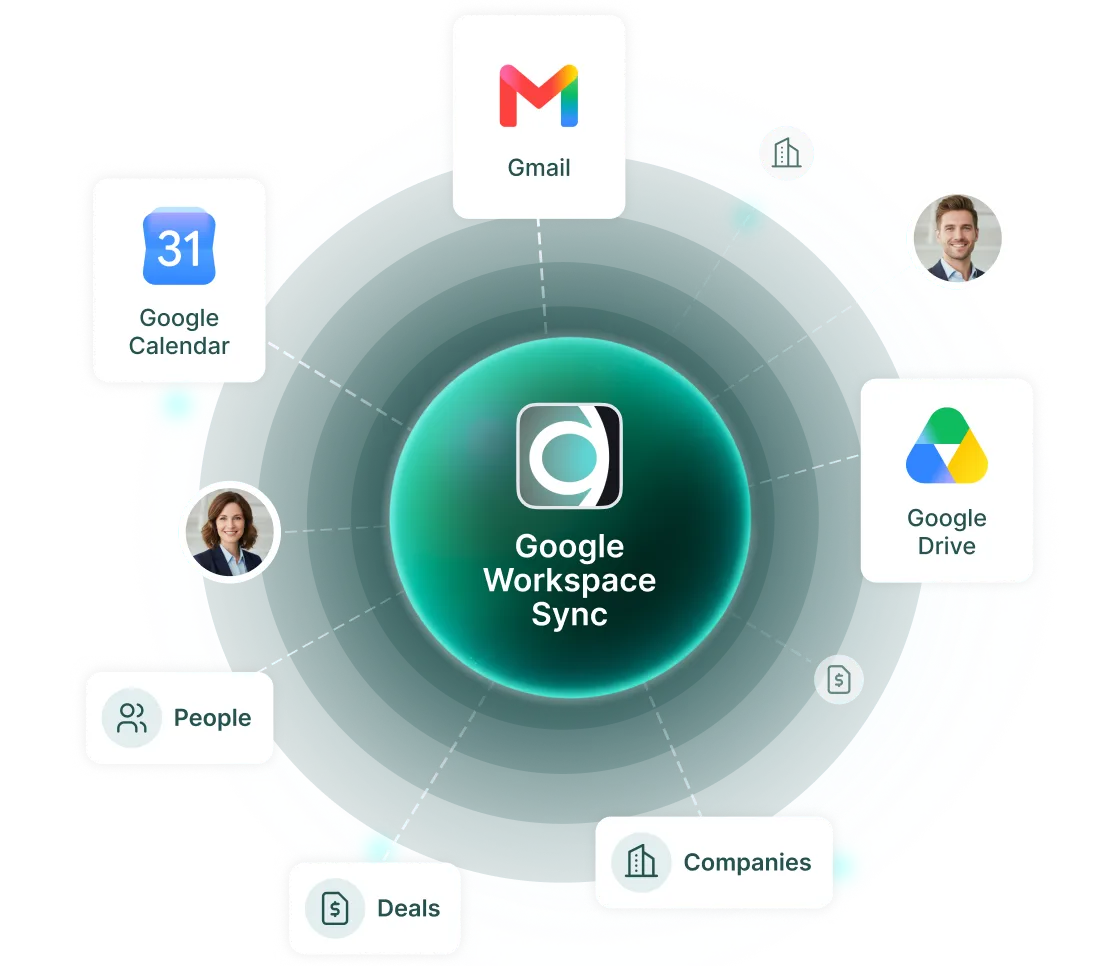
Diagram showing Google Workspace Sync connected to Gmail, Google Calendar, Drive, People, Deals, and Companies.

Meridian works where you work

The Meridian Google Workspace integration keeps your deal pipeline connected to the tools you already use.
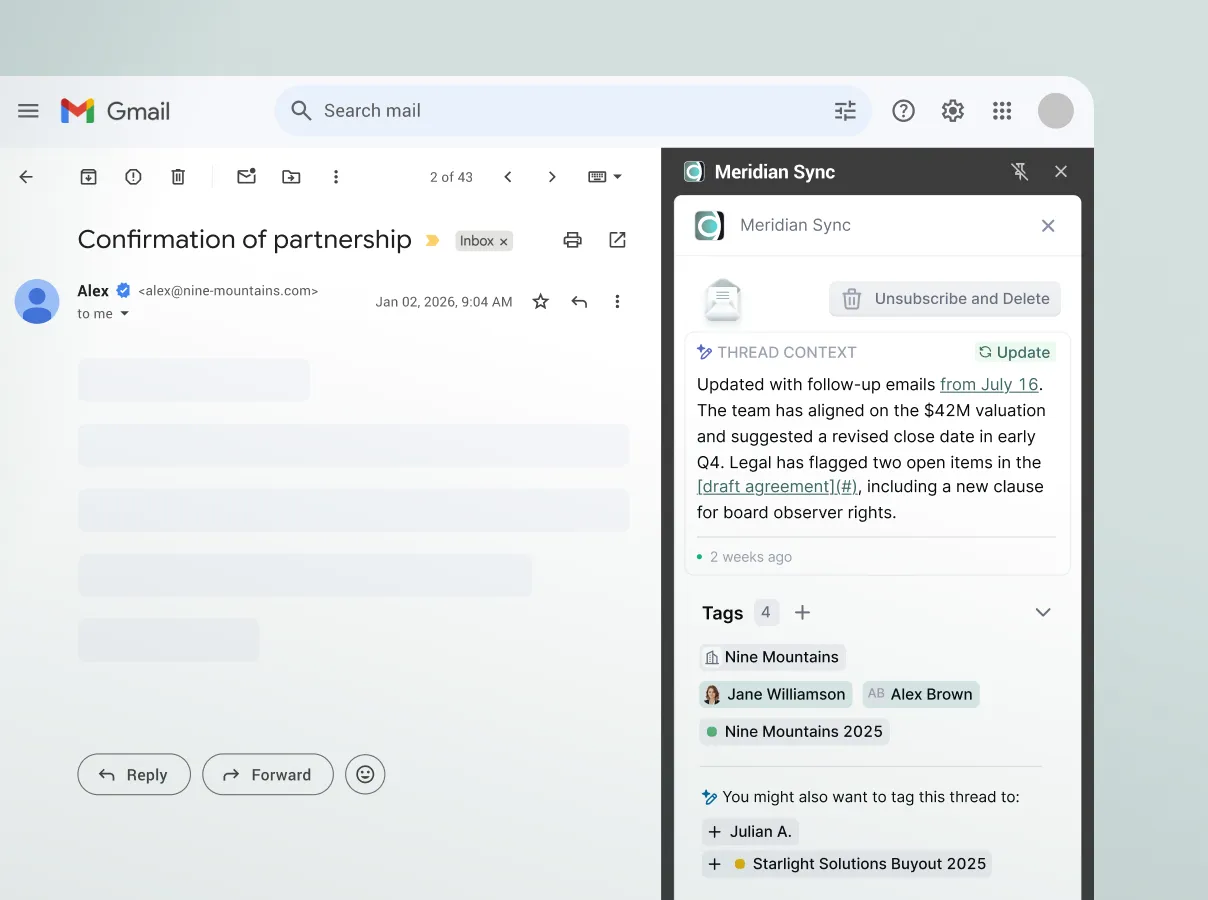
Gmail inbox showing partnership email and Meridian Sync panel with updated thread context and tags.
email & calendar sync

For Google Workspace users

Emails and calendar events sync seamlessly with relevant contacts, companies, and deals in your Meridian CRM.

Log email threads and calendar events to your CRM automatically.

Keep your CRM updated with meeting details, attendees, and follow-ups.

View and manage your Meridian CRM data without ever leaving Gmail.

Company capture

A Chrome extension for everyone

The Meridian Sync Chrome extension allows anyone to add company information to their Meridian CRM from any website.

Create or update company records right from the browser.

Add information and push updates to Meridian in one click.

Improve your workflow even if you’re an Outlook user.
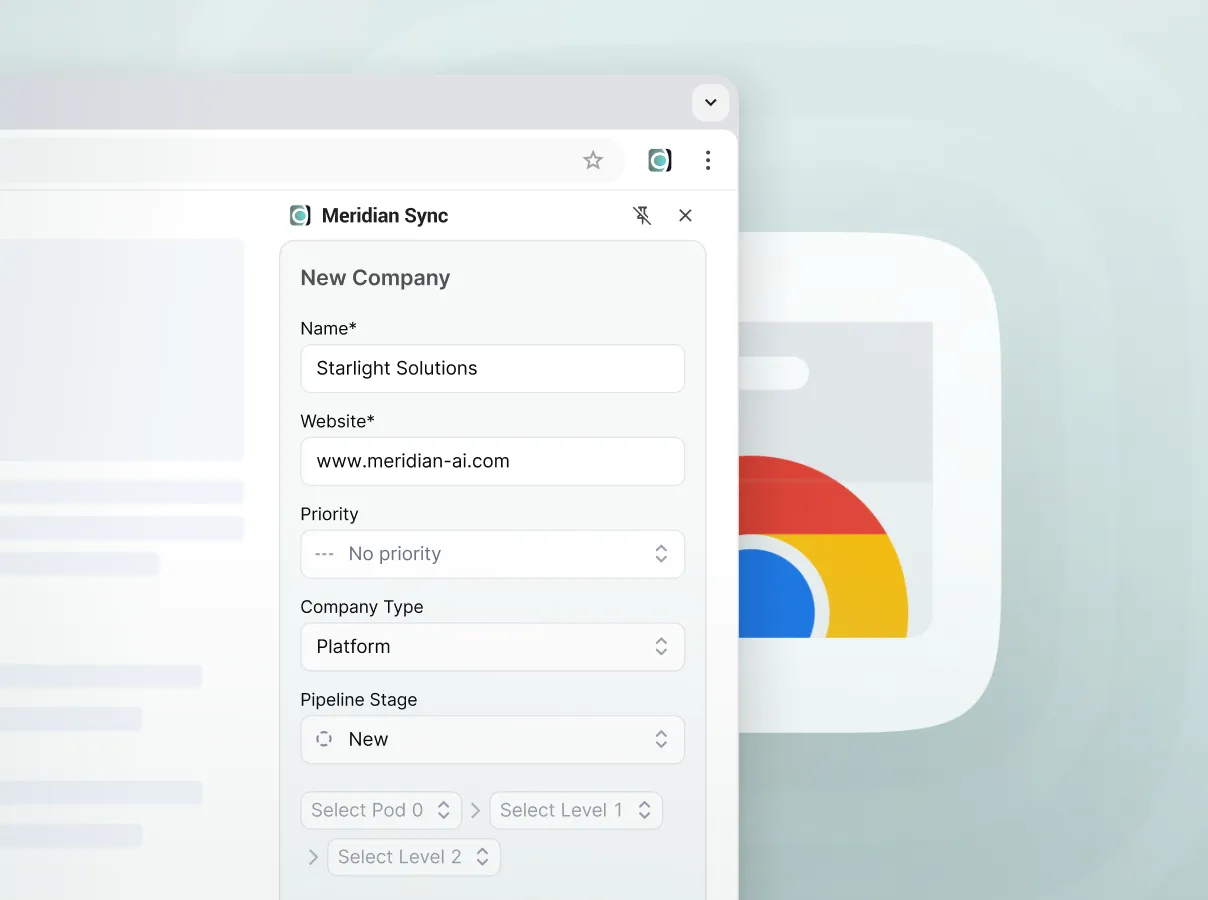
Browser window showing Meridian Sync form to add a new company with fields like name, website, priority, and type.
extension setup

How to add companies to Meridian directly from your browser

STEP 1

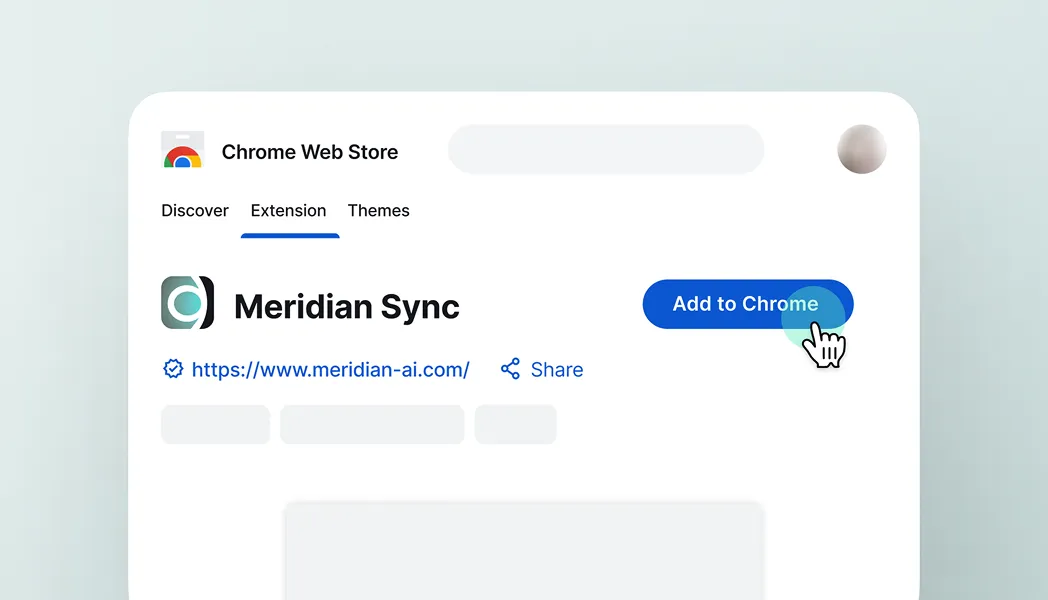
Install the Chrome extension

Go to the Chrome Web Store and click the “Add to Chrome” button to install the Meridian Sync extension.
Chrome Web Store page showing Meridian Sync extension with cursor clicking Add to Chrome button.
STEP 2

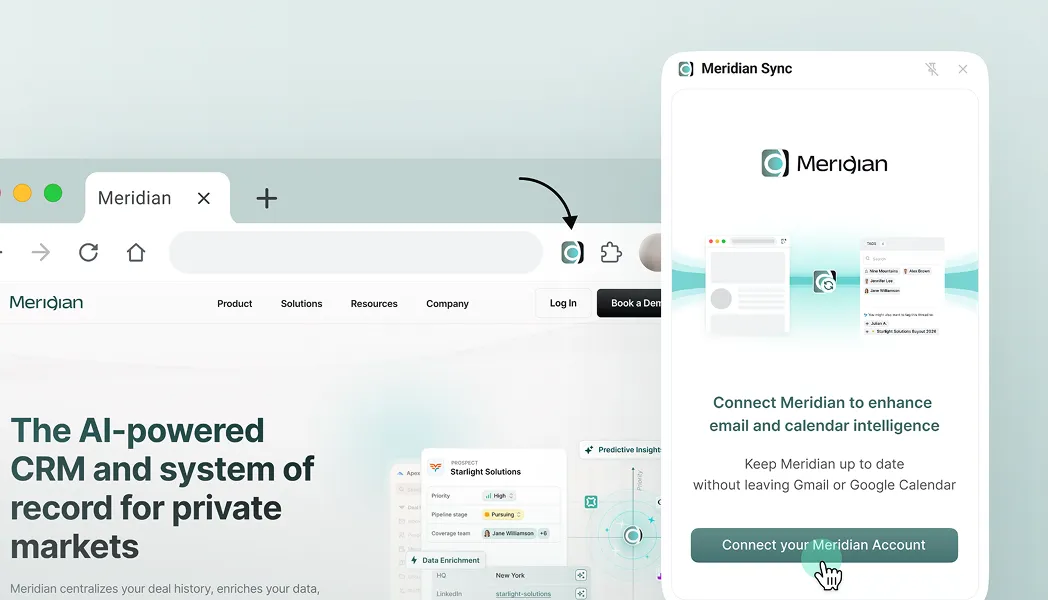
Sign in and pin the extension

Click the Meridian Sync icon in your Chrome toolbar and sign in with your account credentials. Pin the extension for quick access.
Browser window showing Meridian website with pop-up to connect email and calendar via Meridian Sync app.
STEP 3

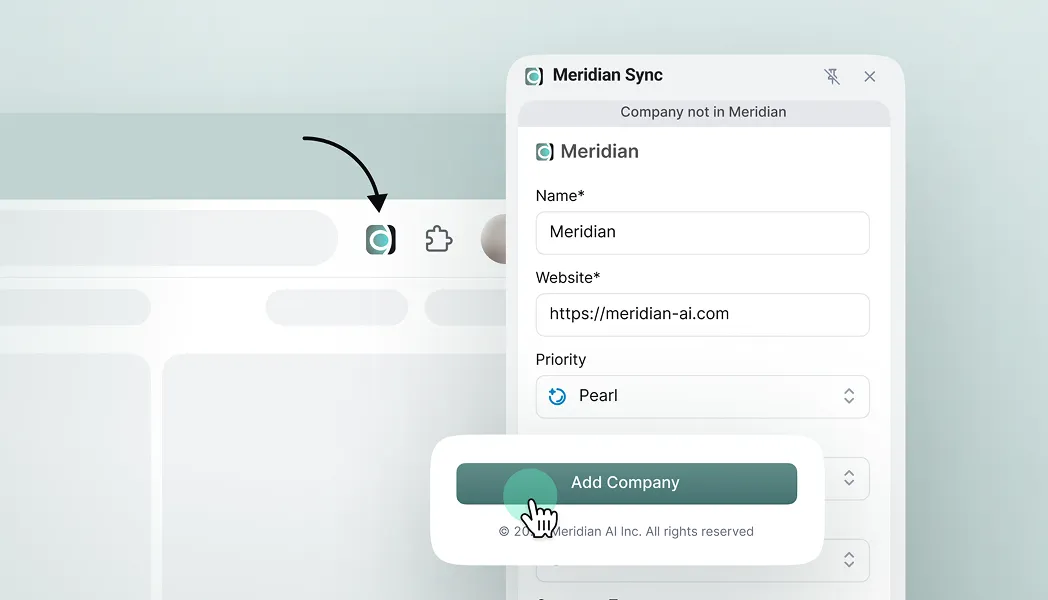
Add company information to Meridian

Navigate to the website of the company you want to add to Meridian. Click the Meridian Sync icon in the toolbar and press “Add Company”.
Cursor clicking Add Company button in Meridian Sync extension showing company details form.
STEP 4

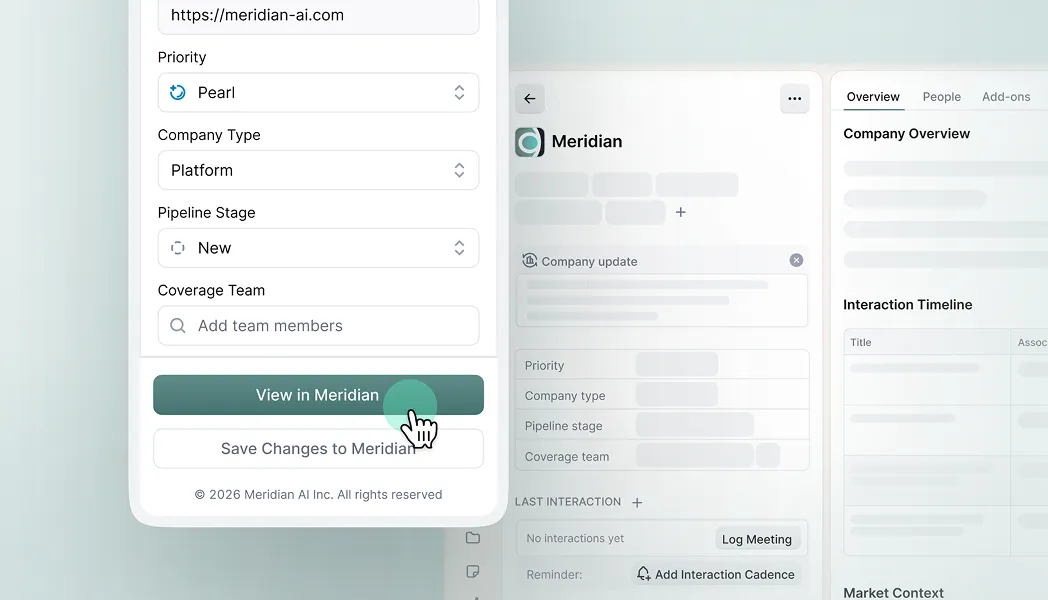
View in Meridian

After the company is successfully added, a “View in Meridian” button will appear. Click it to open the company record directly in Meridian.
User interface showing company details form with Priority, Company Type, Pipeline Stage, and view button.
Install the Extension